Add the watermark
- Open the document and tap Watermark in the row of tools.
- Type your text. The suggestion is “CONFIDENTIAL”; for a copy of an ID, write what it is for and the date, such as “For the rental application, 12 May”.
- Adjust Repetition, Colour, Opacity, Size and Slant. The preview of page 1 follows your choices.
- Tap Done. The watermark is laid on every page of the document.
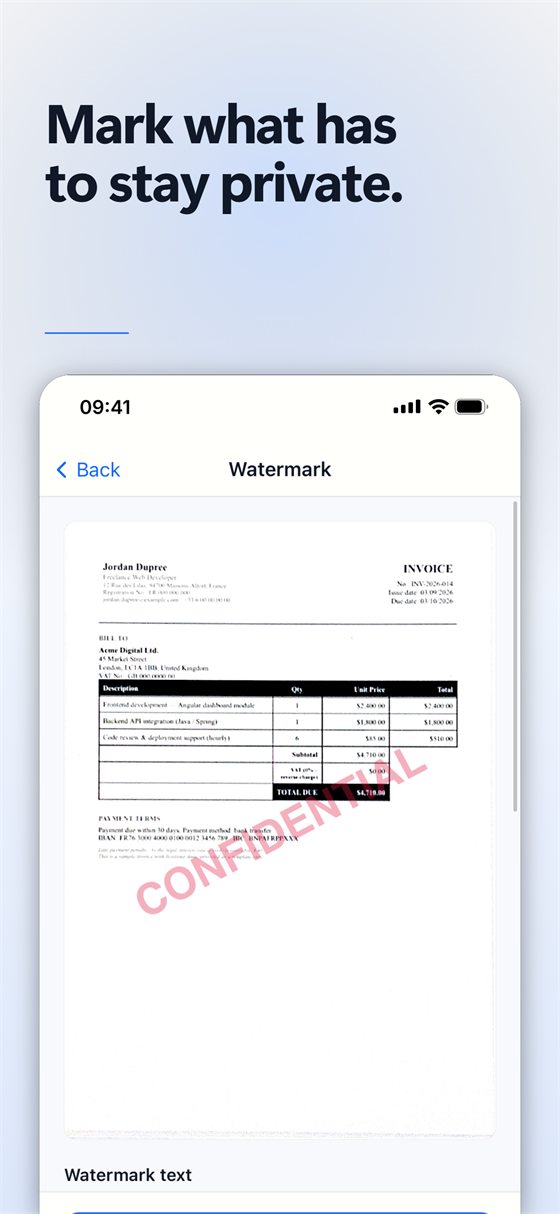
Make a copy first. Once you tap Done, the watermark is burnt into the pages: to remove it you would have to scan them again. Copy the document from the library, and watermark the copy.
Share it
Tap Share, choose PDF, and send it or save it to the Files app.
Free or Pro? The watermark is part of the Pro subscription, which starts with a 7-day free trial; cancelling before it ends costs nothing.
Tips
- A repeated, slanted watermark is harder to crop out than a single line in a corner.
- Keep the opacity low enough to read the document through the text.
Try Scan Cam
Scan Cam is free to download. Scanning, folders, filters and PDF export are free with no time limit; the Pro subscription adds the extra tools, and starts with a 7-day free trial.
Download on the App Store