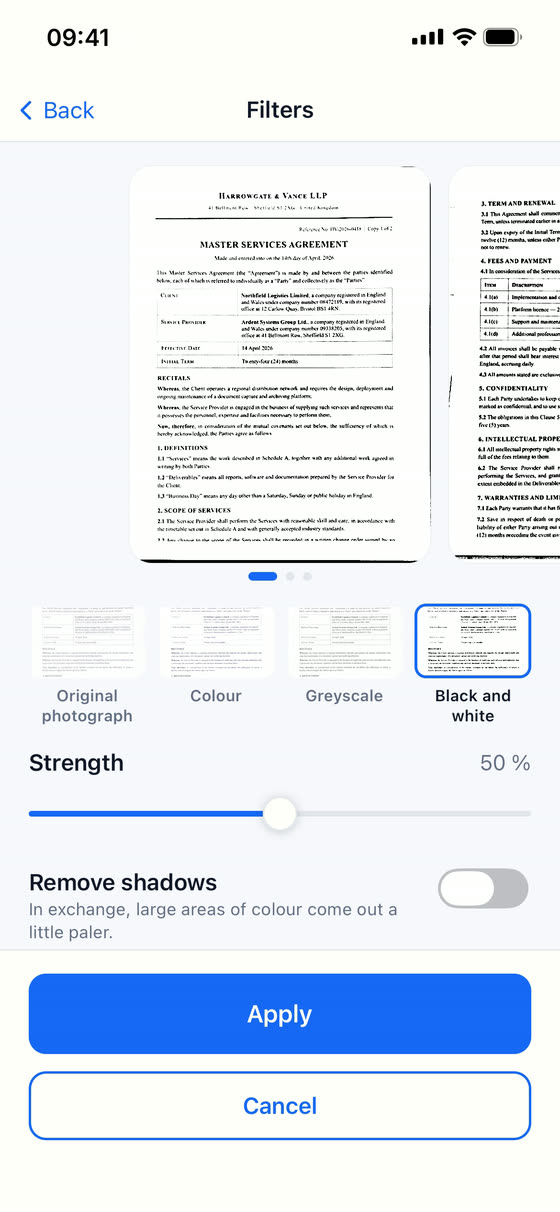
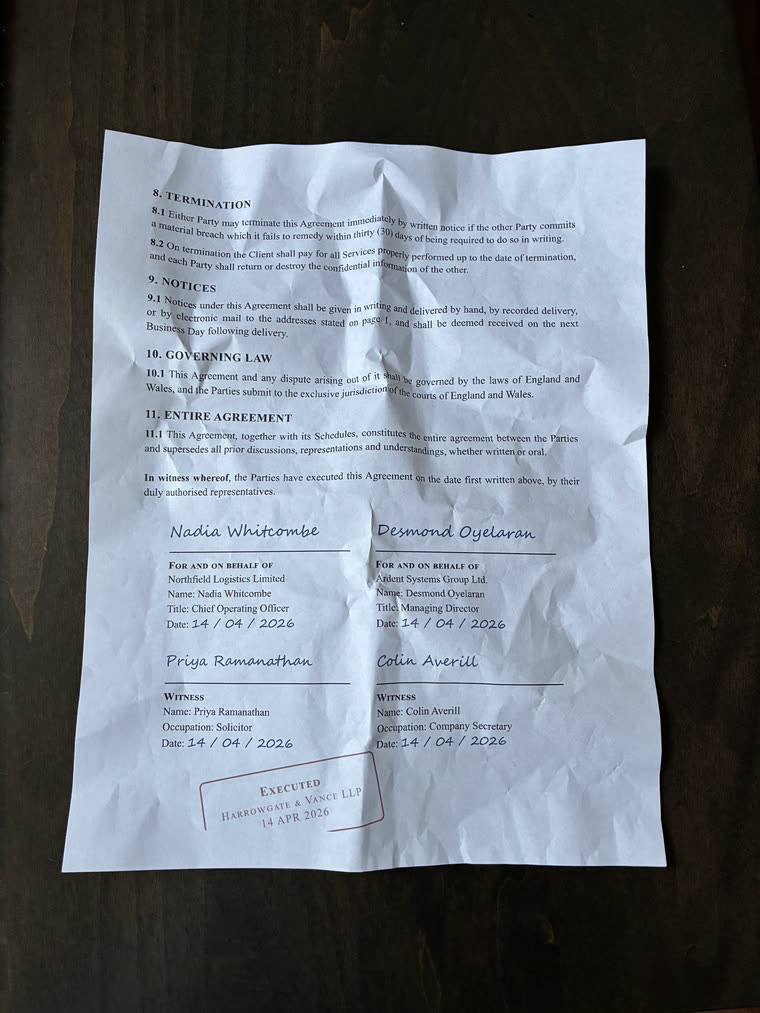
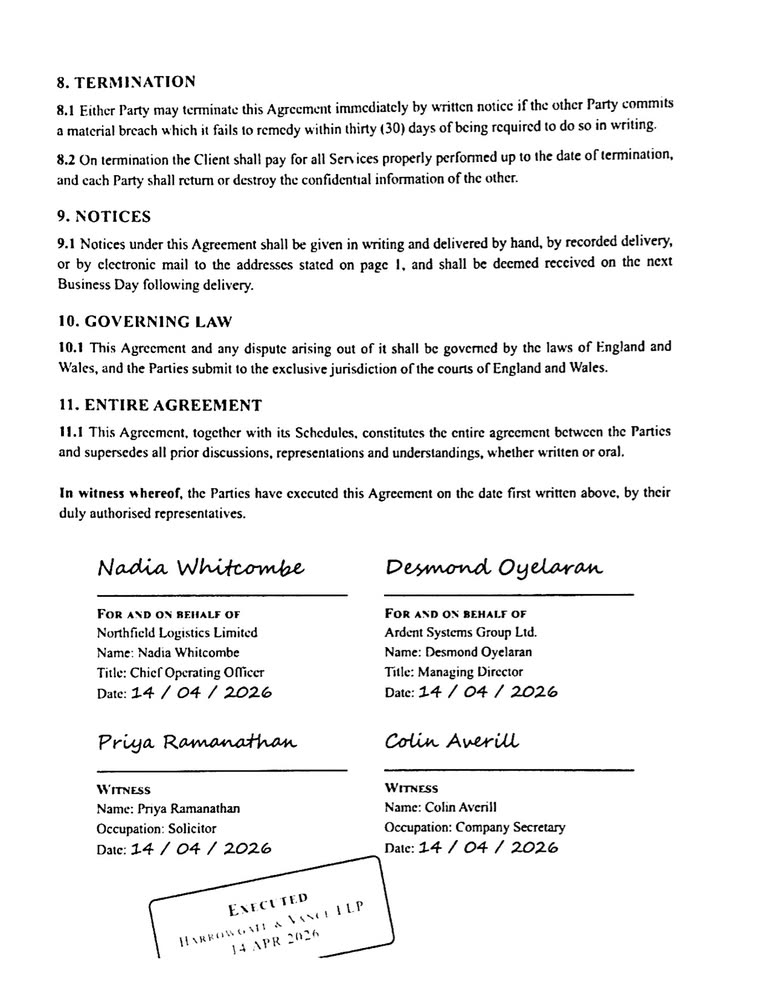
The same page, as Scan Cam returns it.
Photographed crumpled on a table, and returned straight, white and sharp. Both pages are whole: nothing is cropped.
Everything it can do
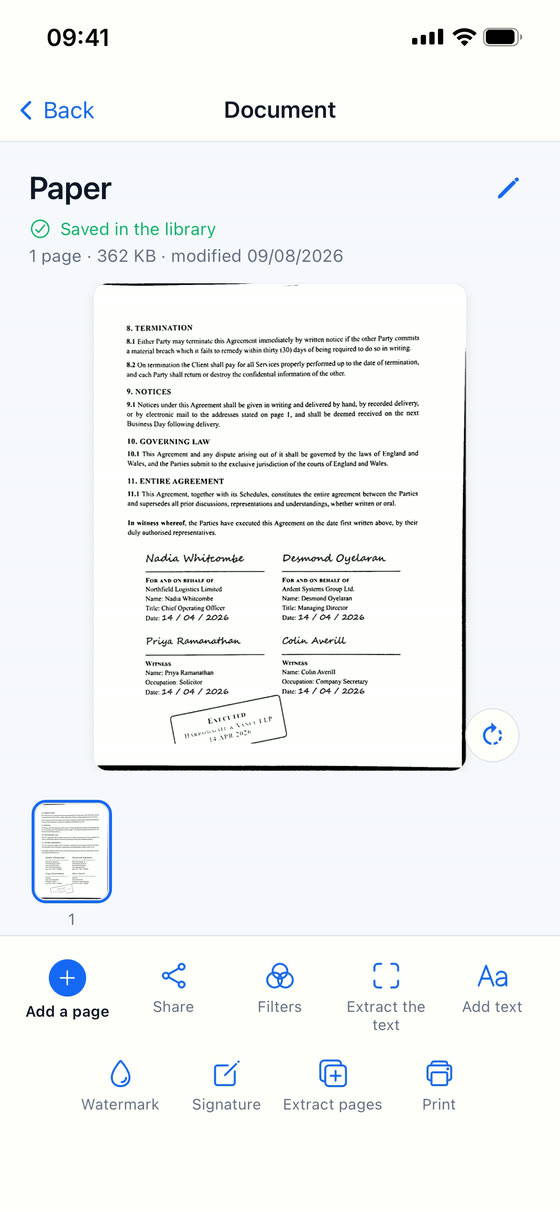
Scanning
- Edges detected and the page straightened, even shot at an angle
- Four looks: original photo, colour, greyscale, black and white
- Strength adjustable with your finger, with a preview that follows
- Shadows removed in one tap, for pages shot under a lamp or a hand (on iPhone)
- Several pages in one document, to reorder, rotate or remove
- Import photos and PDFs, up to 100 pages
Organizing
- Folders and subfolders, like on a computer
- A search that also finds what is filed deep inside a folder, and tells you where
- Rename, move, duplicate, delete
- A copy in your iCloud, or in your Google Drive on Android, that brings your documents back if you reinstall the app or change phones
Finishing and sharing
- Export to PDF or JPEG
- Add text on a page
- Print straight from the app
- Save to your files, or send through your phone’s share menu
Never on a server of ours.
Your documents stay on your phone, with a copy in your own iCloud on iPhone or, if you agree, in your own Google Drive on Android — never on a server of ours. No account to create, no analytics, no adverts. Your invoices, your contracts and your identity papers go nowhere else — except on the day you decide to share them yourself.
Scan Cam Pro
The free version is complete and never expires: scan, organize, filter, annotate, print and export to PDF as much as you like. Free PDFs carry a small “Scanned with Scan Cam” line at the foot of the page.
The Pro subscription adds:
- PDF with no line at the foot
- Text recognition, which reads your pages and hands you the text to copy
- Signature, drawn with your finger and placed where you want it
- Watermark, across the page
- Merging several documents into one
- Pulling pages out into a new document
- Export to Word (.docx) and Excel (.xlsx)
Text recognition runs on the phone, with no internet: it reads the Latin alphabet, Japanese, Chinese and Korean.
$22.99 a year, after a 7-day free trial.
App Store price · United States
Guides
Step-by-step answers for scanning, signing, merging and reading documents on your iPhone.
- How to scan multiple pages into one PDF on iPhone
- How to scan receipts on your iPhone and keep them organized
- How to sign a document on your iPhone with your finger
- How to copy the text from a scanned document on iPhone
- How to merge PDF files on iPhone
- How to extract pages from a PDF on iPhone
- How to add a watermark to a PDF on iPhone
A question?
Write to me: I answer myself.
pierremunozfrance@gmail.com